

Imposter syndrome was rampant
Small business owners needed guidance on how to “do it right” — they craved validation that their plan would meet investor expectations.
LivePlan · Product Design · 2024

How user research, design systems thinking, and AI integration reduced early churn by 25% and transformed how entrepreneurs write business plans.
25%
Decrease in early churn
More new users completed their first plan section in week one — and stuck around instead of dropping off.
42%
Increase in writing engagement
Users started — and finished — more sections of their plans.
38%
Increase in AI feature usage
Putting AI assistance right where users were writing, with fine-grained controls, drove adoption.
63%
Increase in plan comments
Real-time collaboration got whole teams commenting and working in the plan together.
The Challenge
LivePlan helps entrepreneurs write business plans — but our decade-old editor was showing its age. New users were churning before they could experience the product’s value, and seasoned users were building workarounds for basic functionality.
I was tasked with reimagining the plan-writing experience from the ground up: making it faster to write, easier to customize, and smarter with AI — while maintaining the guided structure that made LivePlan trusted by lenders and investors.
Discovery
I conducted three streams of research to build a complete picture: user interviews with new signups and power users, session replay analysis in Amplitude, and deep-dives with our customer advocacy team.

Key Insights
Users weren’t struggling because the features didn’t exist — they were struggling because they couldn’t find them, trust them, or make them their own.
This reframing shifted our approach from building new capabilities to surfacing existing ones in context.
Small business owners needed guidance on how to “do it right” — they craved validation that their plan would meet investor expectations.
Users had access to LLMs but lacked confidence in generic output. They wanted AI that understood their specific business context.
Users complained that plan templates looked old and couldn’t be customized to reflect their brand identity.
Session replays revealed users couldn’t find AI writing tools, and when they did, they wanted more surgical control.
Behavioral Analysis
Session replays in Amplitude revealed patterns that interviews alone couldn’t surface. I watched users work around our limitations in creative — and frustrating — ways.
Using Session Replays
Each edit to their plan required at least two extra clicks. Replays showed people bouncing between a read-only view and a separate edit mode just to fix a typo or reword a line. Formatting controls sat a click or two from the text, turning simple edits into repetitive, mode-switching chores.
Design Approach
Each pillar shaped a focused set of changes — eliminating friction and putting users back in control.
Eliminate modal detail views. Let users write, edit, and refine directly in the document flow without losing context and to limit the amount of round-tripping users are required to do for editorial tasks.
Build an extensible system where themes cascade from print PDFs to on-screen editing to pitch decks — with brand customization.
Surface AI writing tools at the point of need, with business-specific instructions and surgical precision over output.
Design System
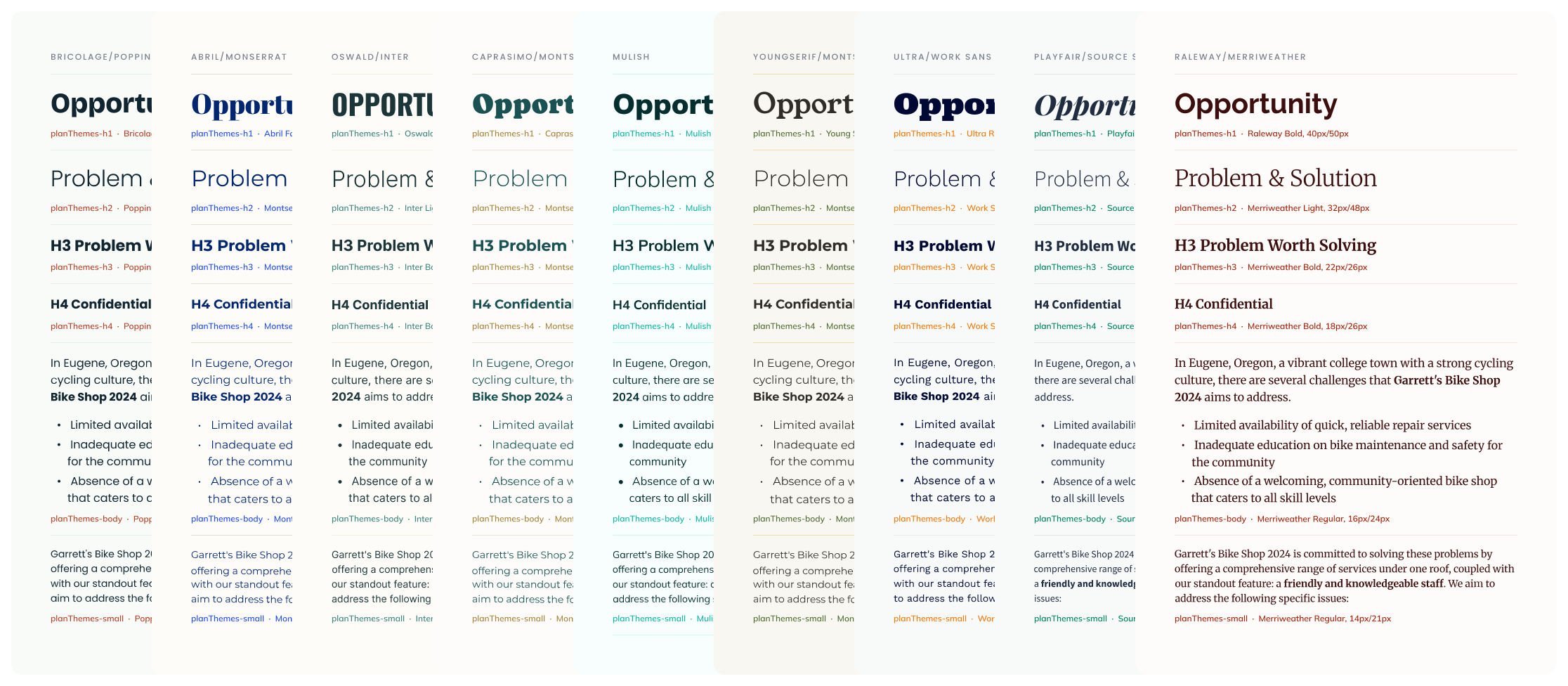
Instead of creating fixed templates, I designed a token-based theming system. This allowed us to ship a dozen professionally- designed themes at launch while giving users the power to customize colors, fonts, and layouts.

Users can select one of fifteen color themes or use the flexible theming system to customize all collateral pieces related to their business plan. This includes the screen and printed versions of their business plan, pitch deck, and idea canvas. All colors cascade through these artifacts to customize charts, links, highlights, statements, and widgets.
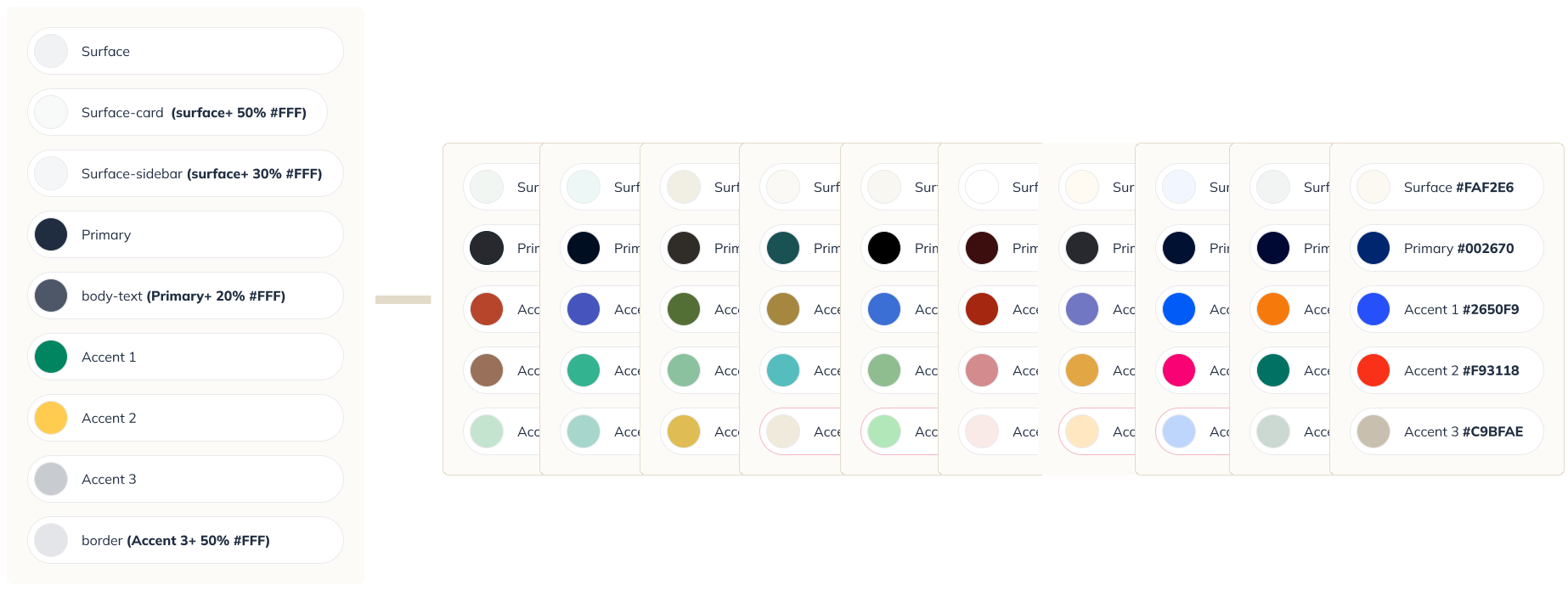
With nine font pairings and fifteen custom color sets, users have 135 ways to customize the design of their business plan.
Validation
We ran multiple rounds of usability testing to validate the designs before engineering investment. The results gave us confidence — and surfaced one more requirement.
90%
Found outline tools
versus 15% previously
70%
Located AI tools
versus 20% previously
100%
Asked to join the beta
Of usability participants
New requirement
Testing surfaced brand customization
Users loved the themes but wanted to make them their own — custom colors and fonts. We added it to the backlog and shipped it in a fast-follow.

The Solution
The new editor brought all three pillars together — inline writing, themed output, and contextual AI — in a single surface.


Outcomes
The redesigned experience rolled out to all users in Q3 2024. Within the first 60 days, every metric we tracked moved in the right direction.
25%
Decrease in early churn
More new users completed their first plan section in week one — and stuck around instead of dropping off.
42%
Increase in writing engagement
Users started — and finished — more sections of their plans.
38%
Increase in AI feature usage
Putting AI assistance right where users were writing, with fine-grained controls, drove adoption.
63%
Increase in plan comments
Real-time collaboration got whole teams commenting and working in the plan together.
Watching users struggle in real-time — rage-clicking, creating workarounds, abandoning flows — gave me conviction that interviews alone miss. The combination of qualitative insights and behavioral data made the case for change undeniable.
Building a token-based theming system took longer upfront, but it let us ship a dozen themes at launch and respond to user requests for brand customization without redesigning components. The same system now powers the pitch deck feature.
Users didn’t distrust AI — they distrusted generic AI. By building business-specific instructions and giving users surgical control over what AI touched, we turned skeptics into power users.